Framix EditorFrom idea to timeline.
Explore a video editor in development: multitrack editing, captions, and AI editing prompts. A preview of the studio’s creative workflow.
Ask about availability and getting started through the official IFUIX WhatsApp.
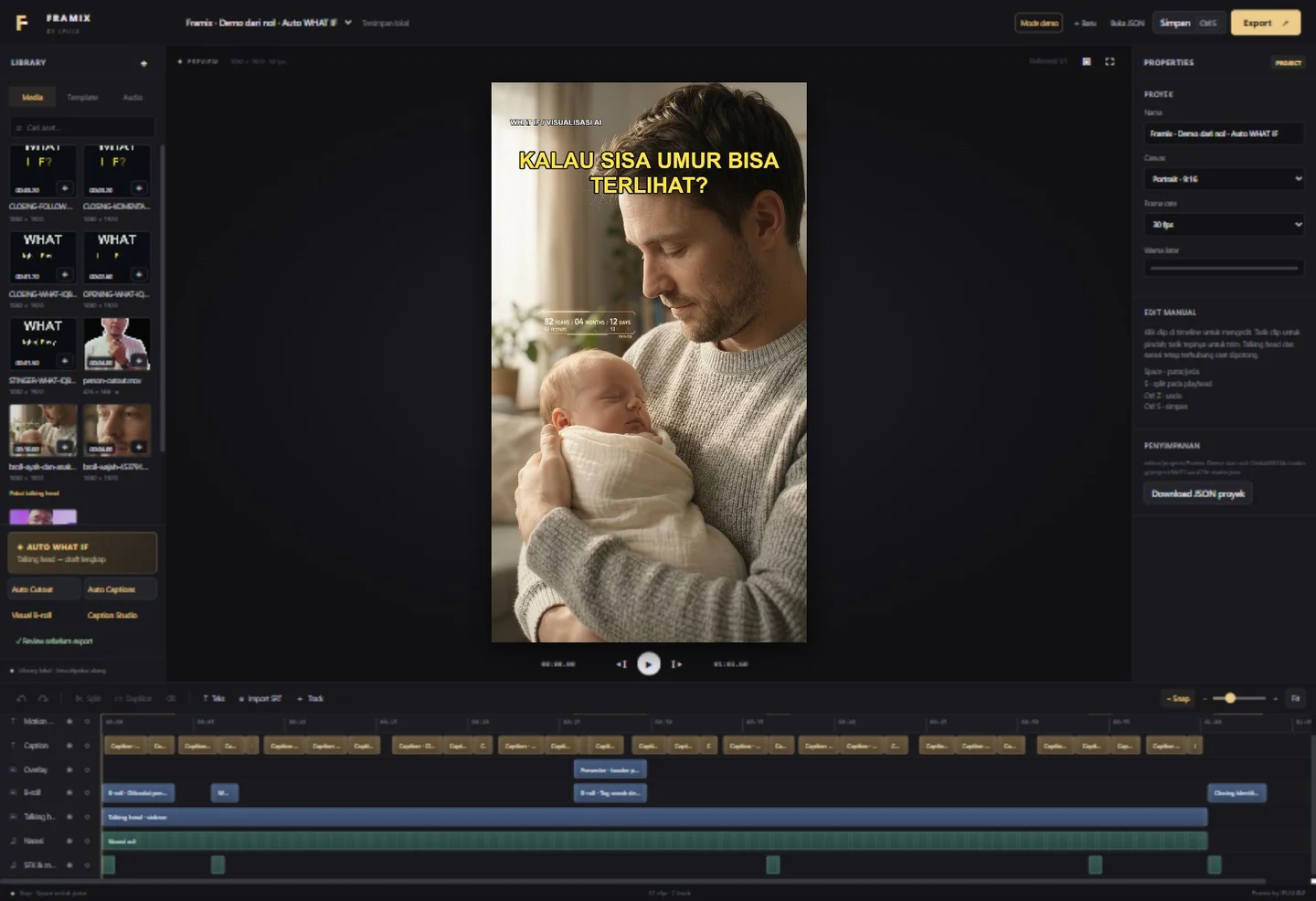
Shape the story, down to the details.
Features available in the local editor. Automated drafts can be reviewed and edited.
Multitrack timeline
Arrange video, images, audio, and text. Trim, split, move clips, and add filters, transitions, and templates.
Captions & AI assistance
AI FRAMIX interprets prompts to build drafts or revise timelines. Automatic captions use Whisper. Resulting projects remain editable and need review.
Local projects
Sources, projects, and exports stay on your device. Autosave, undo/redo, and H.264 + AAC export support your workflow.
AI at the core of the workflow.
Framix provides a foundation for creative workflows. IFUIX Finance is our next SaaS concept. Available products and future features are labeled separately.
Framix: AI
Build a draft from talking-head footage or revise a timeline through prompts. Automatic captions assist editing; results become a new project you can edit and review.
Framix AI uses AI to interpret instructions. B-roll selection uses tags on reviewed assets, rather than automatic image understanding. Results still need review. AI Assistant development remains planned.
Next: an editing assistant using AI
I plan to develop an AI Assistant to interpret editing requests, transcripts, and project metadata. The assistant would suggest cuts, caption revisions, and editable timeline actions. Users would review the draft before export. This integration is not available yet; Framix currently uses AI for editing and captions.
Discuss Framix with its developerFrom prompts to content production.
The vision for Framix is a creative workspace using AI to edit footage and generate new assets. The capabilities below are not available in the current demo.
Auto clipping
AI would identify useful moments in long videos and create short edits, reframing, and captions. Creators would review the results.
Generate video
Create draft video scenes from prompts or references, then combine them with footage on the timeline.
Motion graphics
Turn briefs into animated text, titles, transitions, and graphic elements that can be revised.
Product images
Explore product visuals, backgrounds, and compositions from reference photos for campaigns.
UGC content
Develop concepts, scripts, and drafts of UGC-style product content with checks for claims and asset rights.
One creative workflow
Connect briefs, asset generation, editing, revisions, and export. Models, providers, costs, and availability will be determined during development.
A roadmap, not released features. Video and image generation, motion graphics, UGC, and auto clipping are not included in the demo. Generative workflows will require AI services and creator review; access and pricing are not set.
See Framix in action.
Actual screenshots from Framix by IFUIX. Tap to enlarge and use the arrows to browse.
An edited demo of the actual editor. Processing waits are shortened and labelled; AI results are reviewed before export. Indonesian captions are available.
Want to learn more?
Ask IFUIX about demos, the editing workflow, and Framix Editor availability.
+62 85211225262